
Streaming Connectors
Overview
Section titled “Overview”The streaming connectors in App Connect bring continuous operational data into Rokks. Kafka is the streaming transport; Zabbix uses it for live values while synchronizing configuration separately, and NetFlow uses GoFlow2 to normalize flows before Kafka carries them into Rokks.
The illustrations on this page are source-derived mockups, not captures of operating Zabbix, Kafka, or NetFlow systems. They use only fictional ACME names and example.com endpoints.
How it works
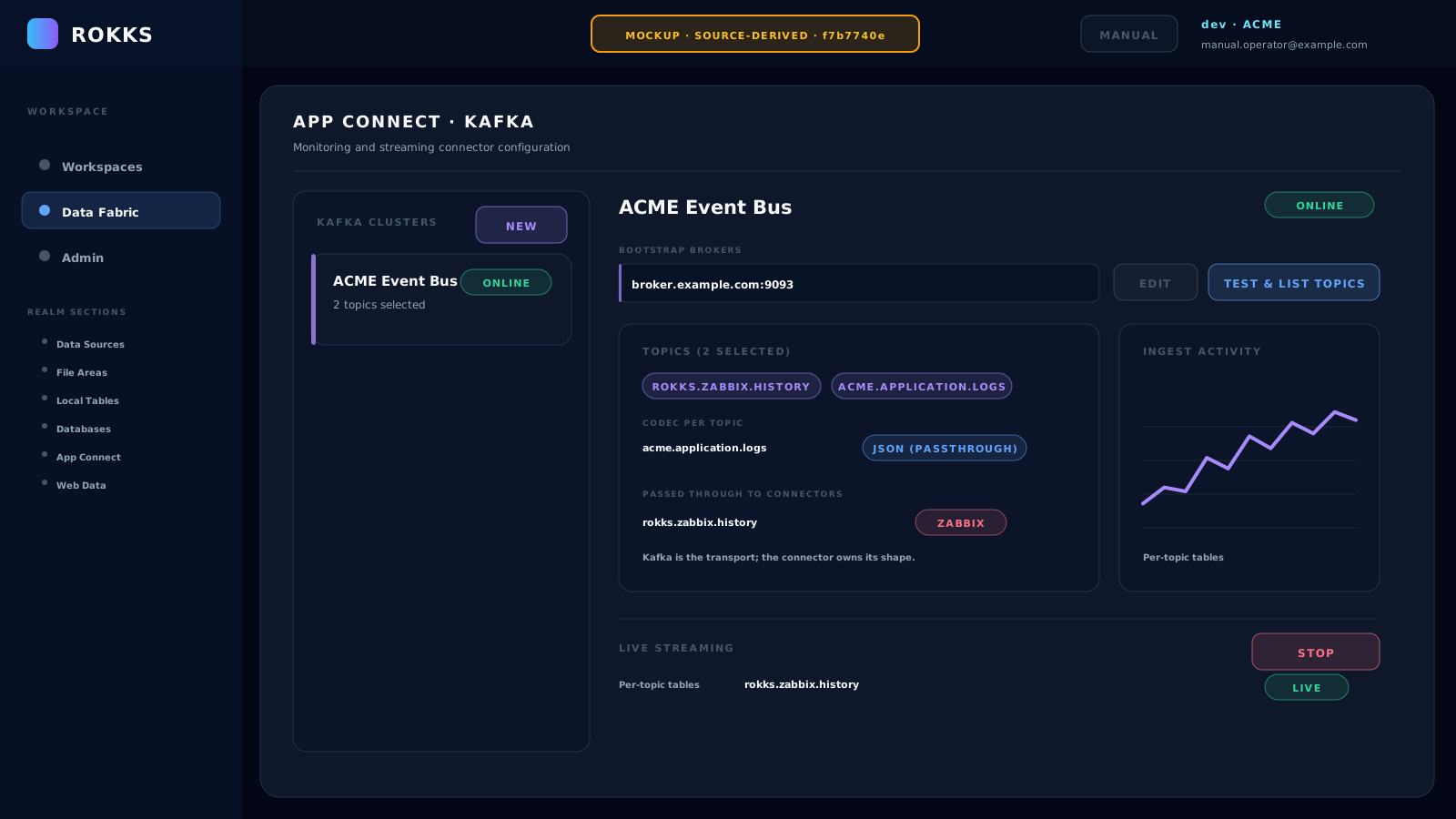
Section titled “How it works”flowchart LR ZC[Zabbix configuration] -->|Sync Config & ERD| ZM[Dimensions and relationships] ZV[Zabbix live values] -->|Real-time export| K[Kafka topics] NF[NetFlow, IPFIX, or sFlow] --> G[GoFlow2 normalization] G --> K OT[JSON, syslog, or CSV] --> K K --> S[Durable store-and-forward] S --> T[One governed table per connection and topic]Each selected Kafka topic has a codec. Generic topics use JSON (passthrough), Syslog, or CSV. A topic linked from Zabbix or NetFlow uses a connector-owned shaped codec; the Kafka page shows its owner and locks the codec there. A running stream shows received and forwarded counts, throughput, spool backlog, the last-record time, errors, and the provisioned per-topic tables.
Step-by-step
Section titled “Step-by-step”Configure the Kafka transport
Section titled “Configure the Kafka transport”- Open Data Fabric → App Connect, select Kafka, and click New.
- Enter a name such as ACME Event Bus and one or more bootstrap brokers, such as
broker.example.com:9093. - Enable Use TLS and Use SASL authentication when the cluster requires them, then click Save & Discover.
- Select the topics to ingest. For a generic topic, choose the codec that matches its actual payload.
- Click Start under Live Streaming. The control is available only after the connection is online and at least one topic is selected.
- Check Per-topic tables and the live metrics before using the data in a dashboard.
Synchronize Zabbix configuration and values
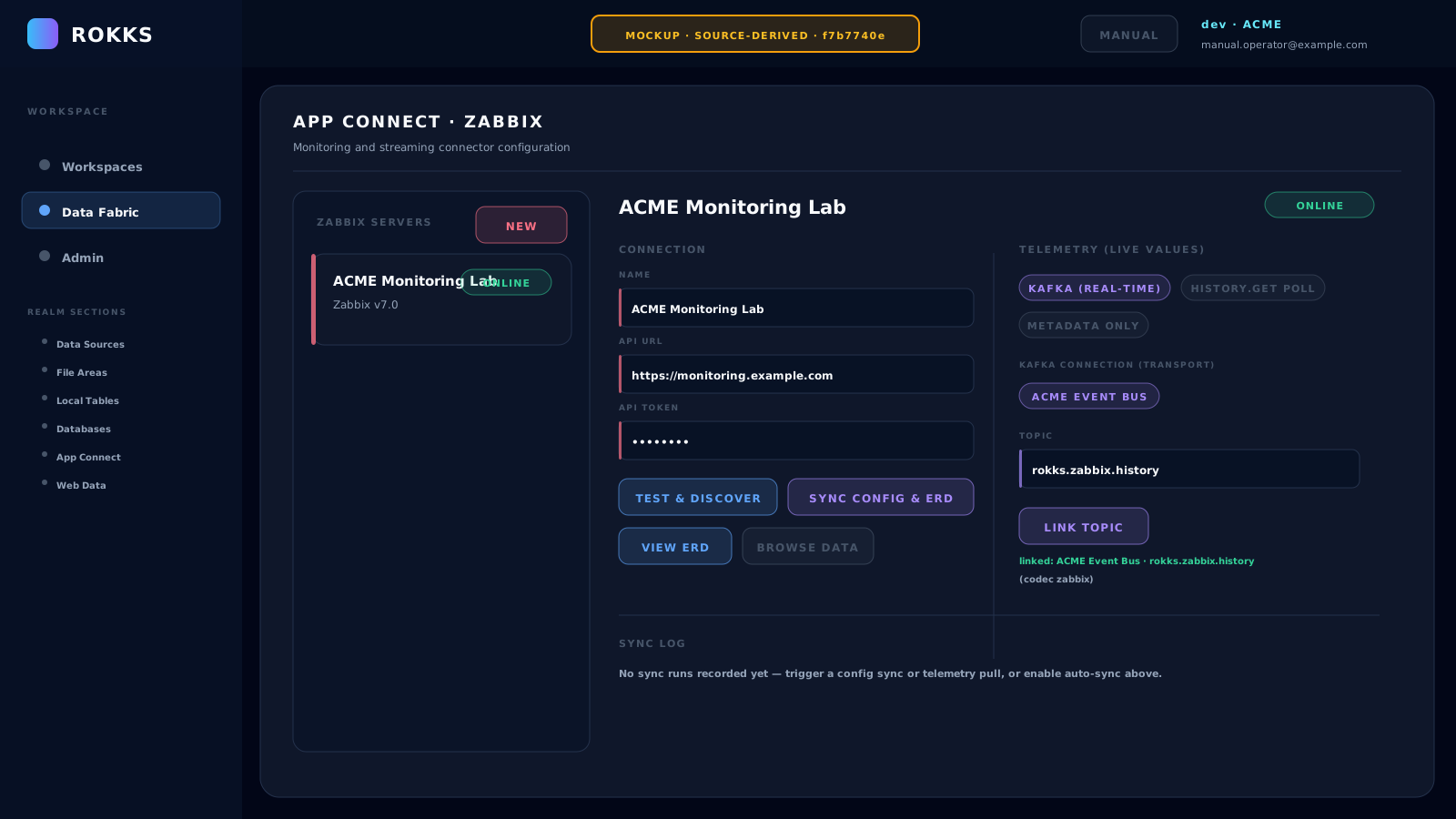
Section titled “Synchronize Zabbix configuration and values”- Select Zabbix, click New, and enter a name, the API URL, and an API token. Use an endpoint such as
https://monitoring.example.comin test documentation. - Click Save & Discover. Use Test & Discover later to repeat the connection check and refresh the host and item preview.
- When the connection is Online, click Sync Config & ERD. Rokks tracks the job inline and materializes the configuration dimensions and their relationships. Use View ERD or Browse data after tables exist.
- Under Telemetry (live values), keep Kafka (real-time) selected for the canonical streaming path.
- Choose the Kafka connection and topic that receives the Zabbix real-time export, then click Link topic. Rokks assigns the connector-owned
zabbixcodec so values use the item-values shape. - If the Kafka stream was already running, stop and restart it after linking so the shaped destination table is provisioned.
The UI also offers history.get poll for an incremental, on-demand or scheduled Pull Telemetry path when Kafka is unavailable. Metadata only synchronizes the configuration model and does not ingest values. Configuration sync and telemetry pull have separate schedule controls.
Link NetFlow through GoFlow2 and Kafka
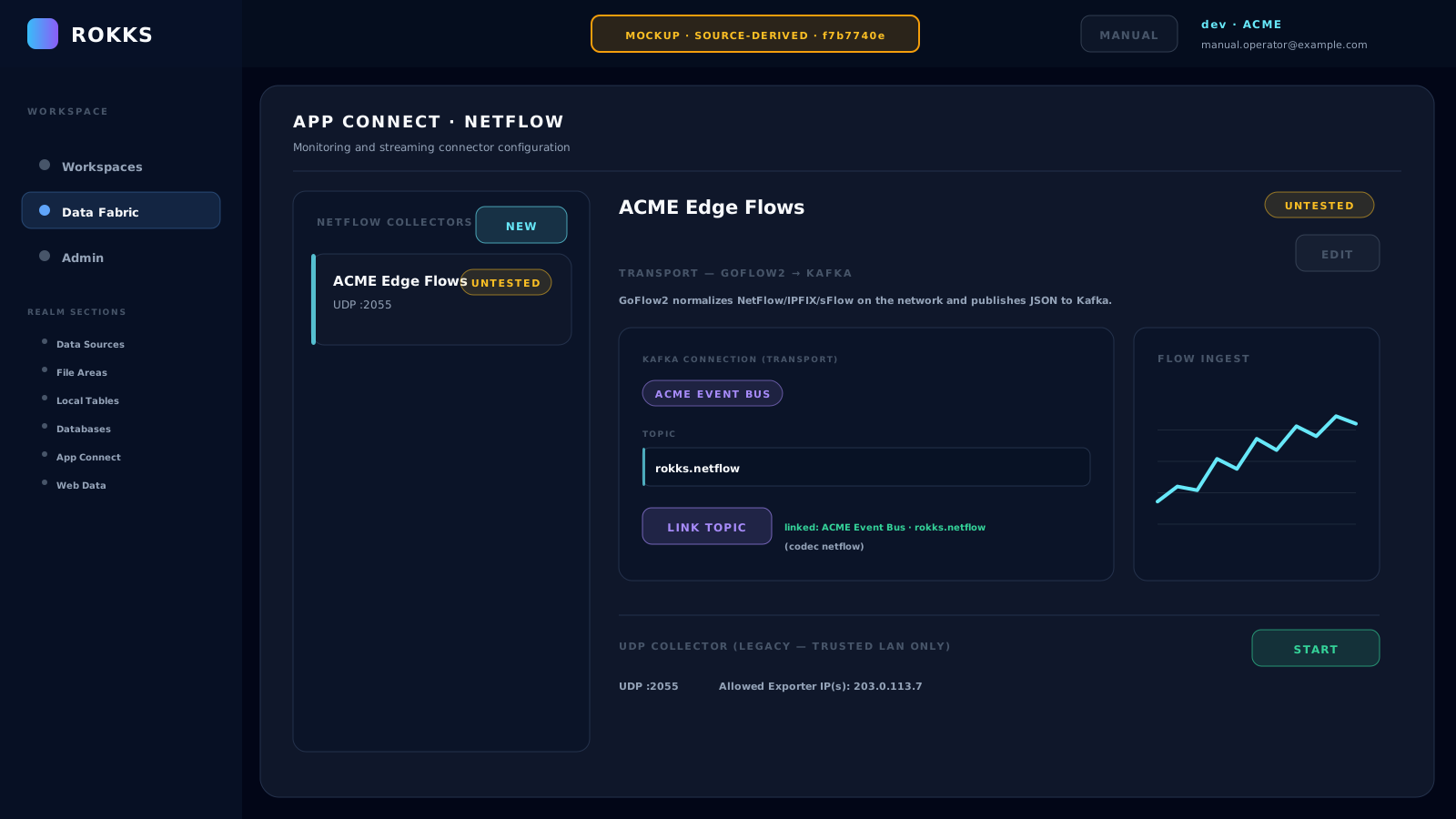
Section titled “Link NetFlow through GoFlow2 and Kafka”- Configure GoFlow2 near the exporters so it accepts NetFlow v5/v9, IPFIX, or sFlow and publishes normalized JSON records to your Kafka cluster.
- In App Connect, select NetFlow, click New, give the connection a name such as ACME Edge Flows, and click Save.
- Under Transport — GoFlow2 → Kafka, choose the Kafka connection and normalized flow topic, then click Link topic. The suggested topic is
rokks.netflow. - Rokks assigns the connector-owned
netflowcodec. Start, or restart, the linked stream from the Kafka connector. - Confirm activity on the NetFlow page and verify the topic table and live status on the Kafka page.
The NetFlow page also displays UDP Collector (legacy — trusted LAN only). This direct collector accepts NetFlow v5/v9 and is retained only for appliance or on-premises single-tenant use. If your installation explicitly uses it, restrict Allowed Exporter IP(s), enforce the same restriction with a firewall, and never expose the UDP listener to an untrusted network. GoFlow2 to Kafka remains the canonical path, including for IPFIX and sFlow.
Common mistakes
Section titled “Common mistakes”- Do not treat Sync Config & ERD as a live-values sync. Select a telemetry source separately.
- Do not choose a codec by trial and error. A codec mismatch surfaces as an error; Rokks does not guess another format.
- Do not try to change a Zabbix- or NetFlow-owned codec on the Kafka page. Change the topic link from the owning connector.
- Do not forget to restart an already-running Kafka stream after linking a shaped topic.
- Do not use the legacy UDP collector for IPFIX or sFlow, or on an untrusted network.