
File Areas
Overview
Section titled “Overview”A file area is a workspace for related uploads. Use it for recurring CSV or delimited text, XLS/XLSX spreadsheet, or JSON files that belong together. Parquet is not decoded by the current File Areas parser.
How it works
Section titled “How it works”When you upload a file, Rokks samples the data and proposes a transform plan. The plan describes display names, data types, mappings, units, and constraints. In a regular AREA, each file can load to its own physical table. Use a Virtual File when several files must combine into one table, or a Constellation when the source represents several related tables. After a successful load, the resulting table or tables become available in the catalog and can be selected in the Widget Builder.
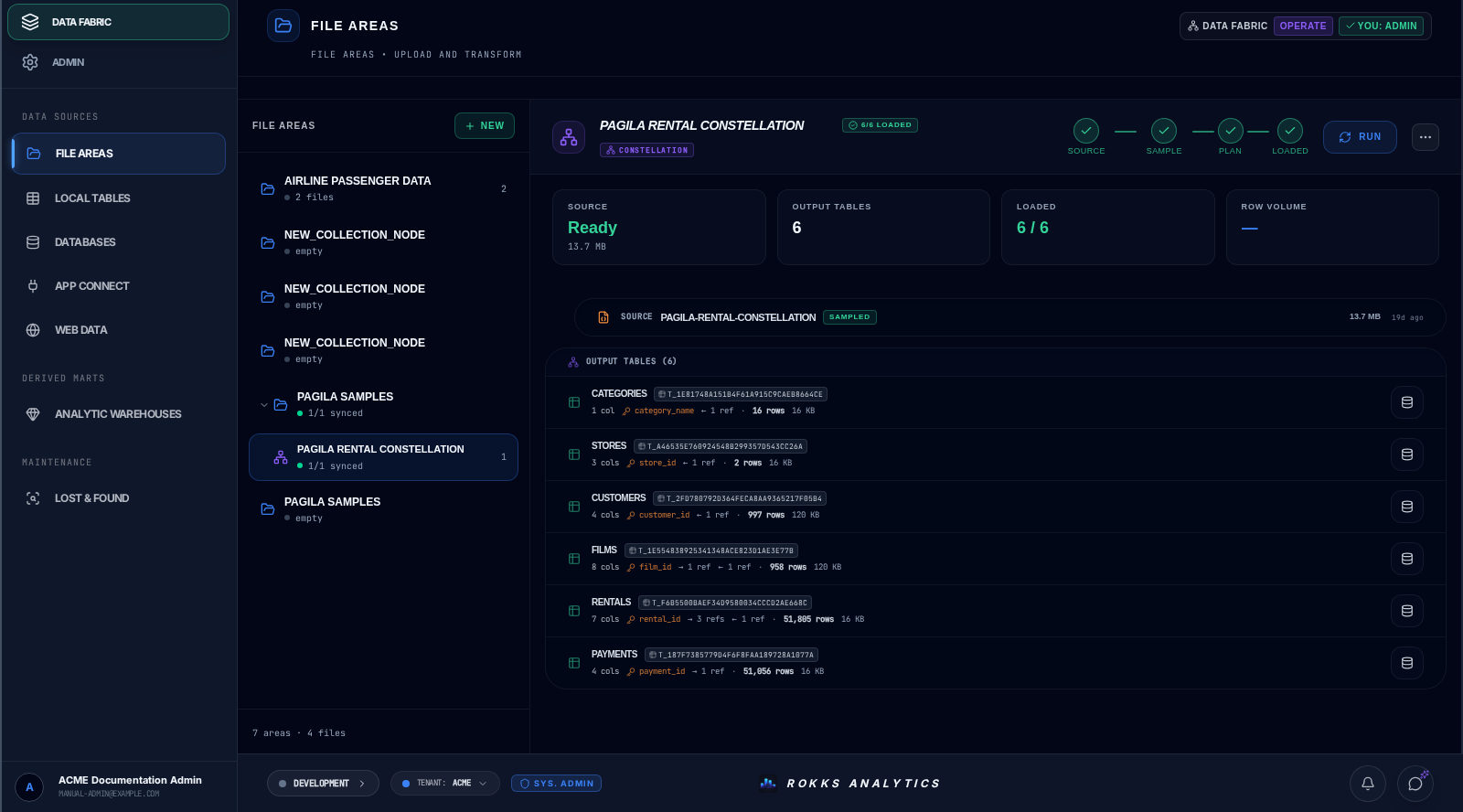
A Constellation is a leaf container inside a regular File Area. It accepts one JSON source, owns one multi-table plan, and displays each governed result under Output tables with its own Inspect action. The same tables are available through Analytic Warehouse → Data Source Tables and Relationship Map. They are File Areas outputs, so Local Tables does not list them.
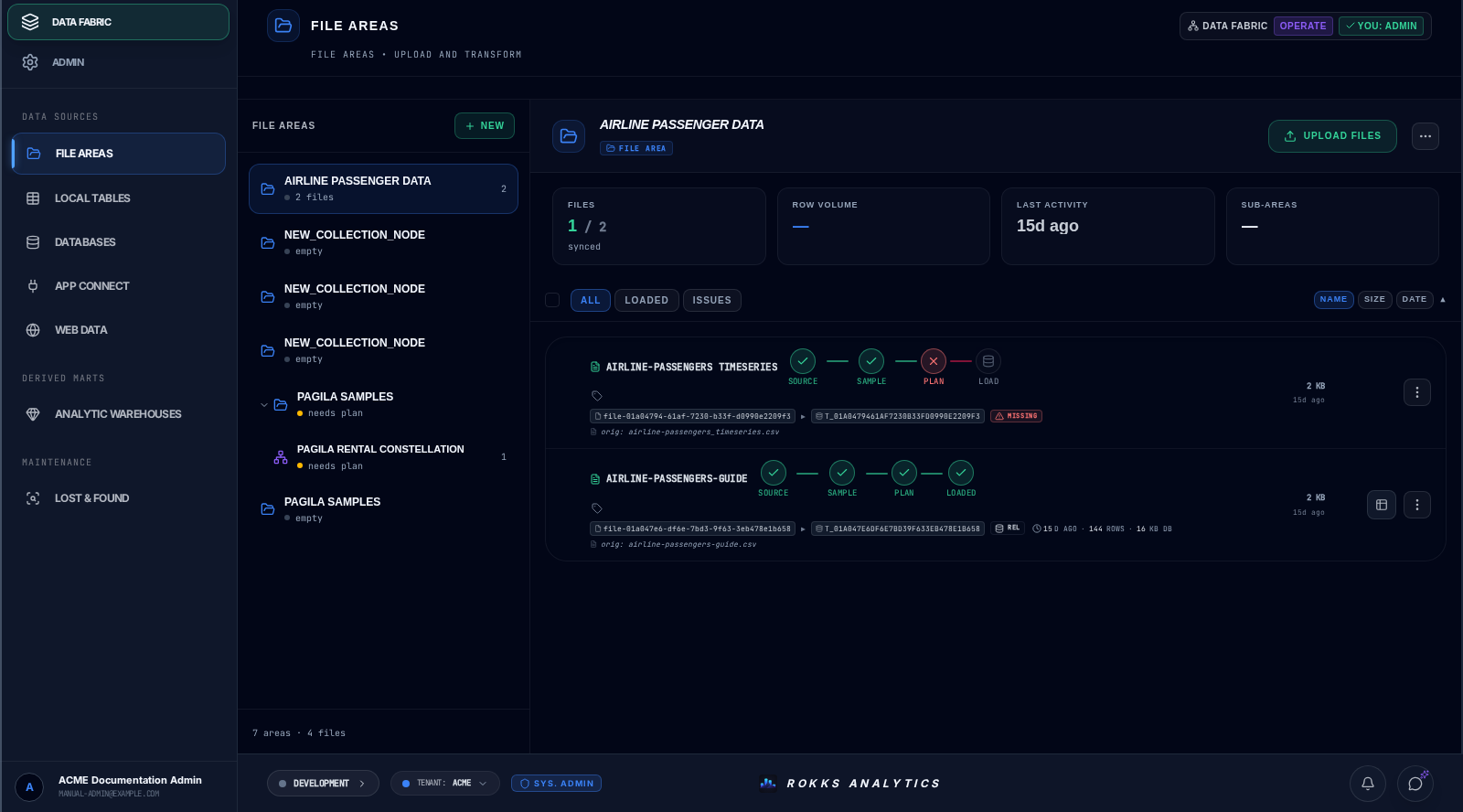
The first capture contrasts a loaded airline sample with files still awaiting a plan. The second shows the real six-table Pagila rental projection after loading: all output tables are ready, with 51,805 rental rows and 51,056 rental-level payment aggregates.
Step-by-step
Section titled “Step-by-step”- Open Data Fabric.
- Create a file area with a clear business name.
- Upload one or more related files. For one-table output from several files, create a Virtual File instead of relying on ordinary area grouping.
- Review each proposed transform plan, or configure the Constellation when the source contains related tables.
- Adjust types, labels, units, and mappings.
- Run the load and monitor the job.
- Build dashboards from the resulting catalog entries.
Sidekick can perform the same attachment-to-plan sequence in Agent mode. Use the File Area and constellation cookbook when you want a chat-driven path with an explicit plan-review stop before loading.
Common mistakes
Section titled “Common mistakes”Do not assume that putting several files in one regular area merges them. Ordinary files retain separate table outcomes; use a Virtual File for N-to-one output or a Constellation for a related multi-table model.
Do not rename fields only inside a dashboard. Fix display names in the source metadata so every widget and assistant workflow sees the same names.