
Analytic Warehouse
Overview
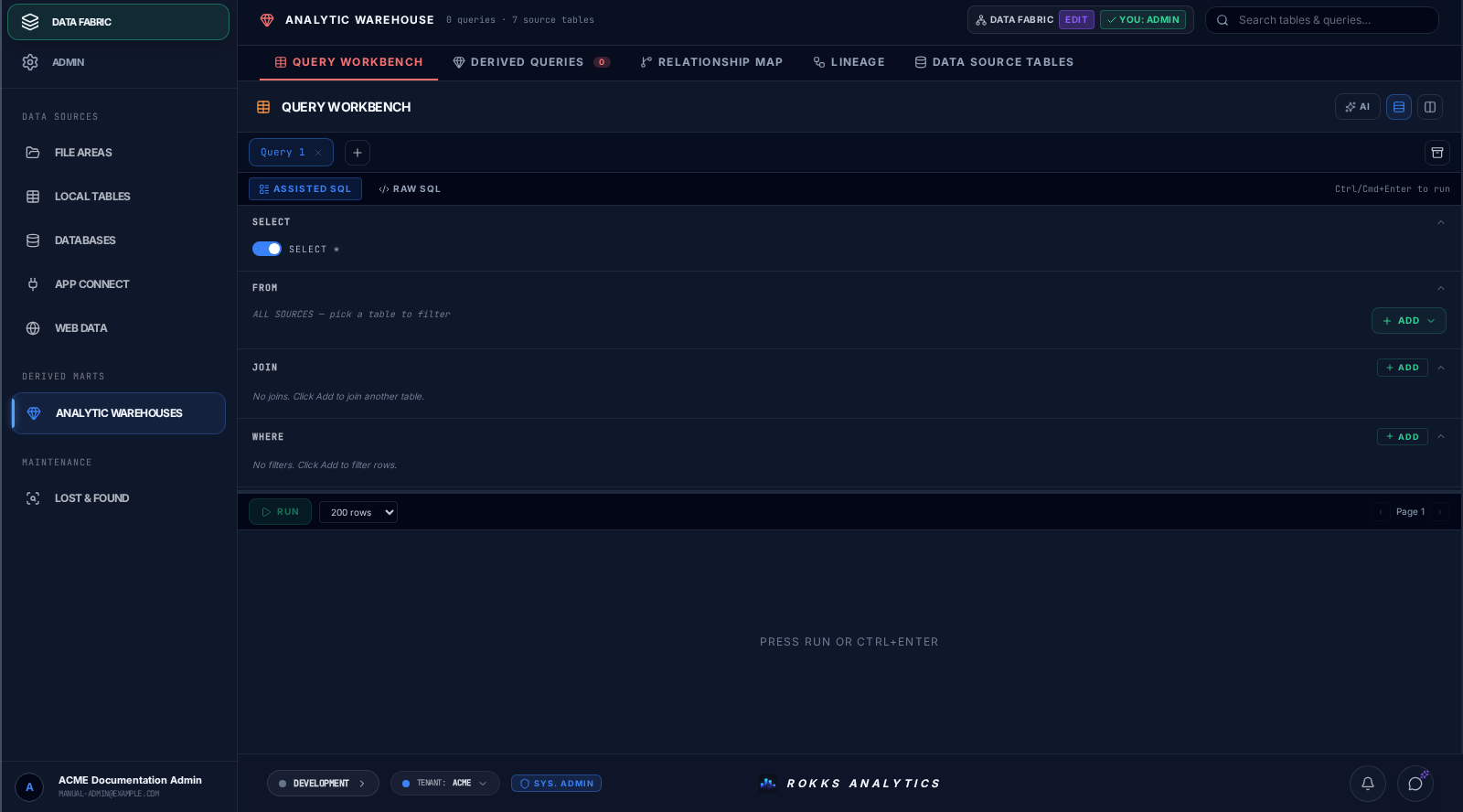
Section titled “Overview”The Analytic Warehouse is where reusable analytical outputs live. Use it for derived tables, curated views, materialized calculations, and shared analysis that should not be rebuilt inside every dashboard. Query Workbench provides a bounded preview before you save or materialize that work.
How it works
Section titled “How it works”A warehouse artifact reads governed source tables, applies a query or transformation, and registers the result for reuse. Some artifacts are refreshed manually or on a schedule. Others are used as source tables for dashboards and alerts.
The Data Source Tables area is also where administrators scan the active database, review discovered tables, and register suitable existing tables in the catalog. That discovery workflow is separate from Local Tables, which provisions new tables.
Query Workbench previews use a versioned, read-only result stream. The stream carries a schema, bounded row records, and one terminal record that says whether the preview is complete, truncated, or failed. Starting a newer preview cancels the older request; rows from a superseded request do not replace the current result.
A dedicated browser Worker performs frame assembly, UTF-8 decoding, JSON parsing, protocol validation, and row reconstruction. Its row batches remain provisional until the terminal is validated. A complete or truncated terminal commits the preview; an error, cancellation, malformed stream, or terminal-less EOF discards it. The main thread performs the final state integration and renders the grid. The implementation has landed; local and beta certification remain open, so this assignment is not a general responsiveness or enterprise-volume guarantee.
Step-by-step
Section titled “Step-by-step”- Open Data Fabric → Derived Marts → Analytic Warehouses. Query Workbench is the initial tab.
- Choose an existing query or create a new one.
- Select governed sources from the catalog.
- Define the derived output.
- Run and validate the bounded preview. Check whether the result is complete or truncated before using its row count.
- Let the workbench auto-save the draft, then choose Publish when the result is ready for reuse.
- Use it from the Widget Builder or downstream workflows.
Common mistakes
Section titled “Common mistakes”Do not duplicate the same complex calculation across many widgets. Create a warehouse artifact when the logic is shared.
Do not materialize an output before validating field names, data types, and row counts.
Do not treat a truncated preview as the complete dataset. Reduce the query scope when you need to inspect a different slice, and use a purpose-built export workflow for bulk data.
Do not assume that provisional rows are valid after a connection closes unexpectedly. Query Workbench accepts them only after a valid complete or truncated terminal.