
CSV to Dashboard
Load a flat CSV file, review its per-file transform plan, and create a dashboard widget from the resulting governed source. This tutorial uses the public Pagila rental facts CSV as a deterministic sample; the relation-aware Pagila maiden flight uses the six-table JSON instead.
Download the CSV source and derivation record with the sample. It pins 11,138,814 bytes, 51,805 rows, 21 columns, and SHA-256 0e7a033d85e4e5657e2fefd5e81f68c7c067de92a43e3dae4b96ad75aef4a2ee.
- Open Data Fabric → File Areas and create a regular File Area named Pagila CSV Practice.
- Choose Upload Files and upload
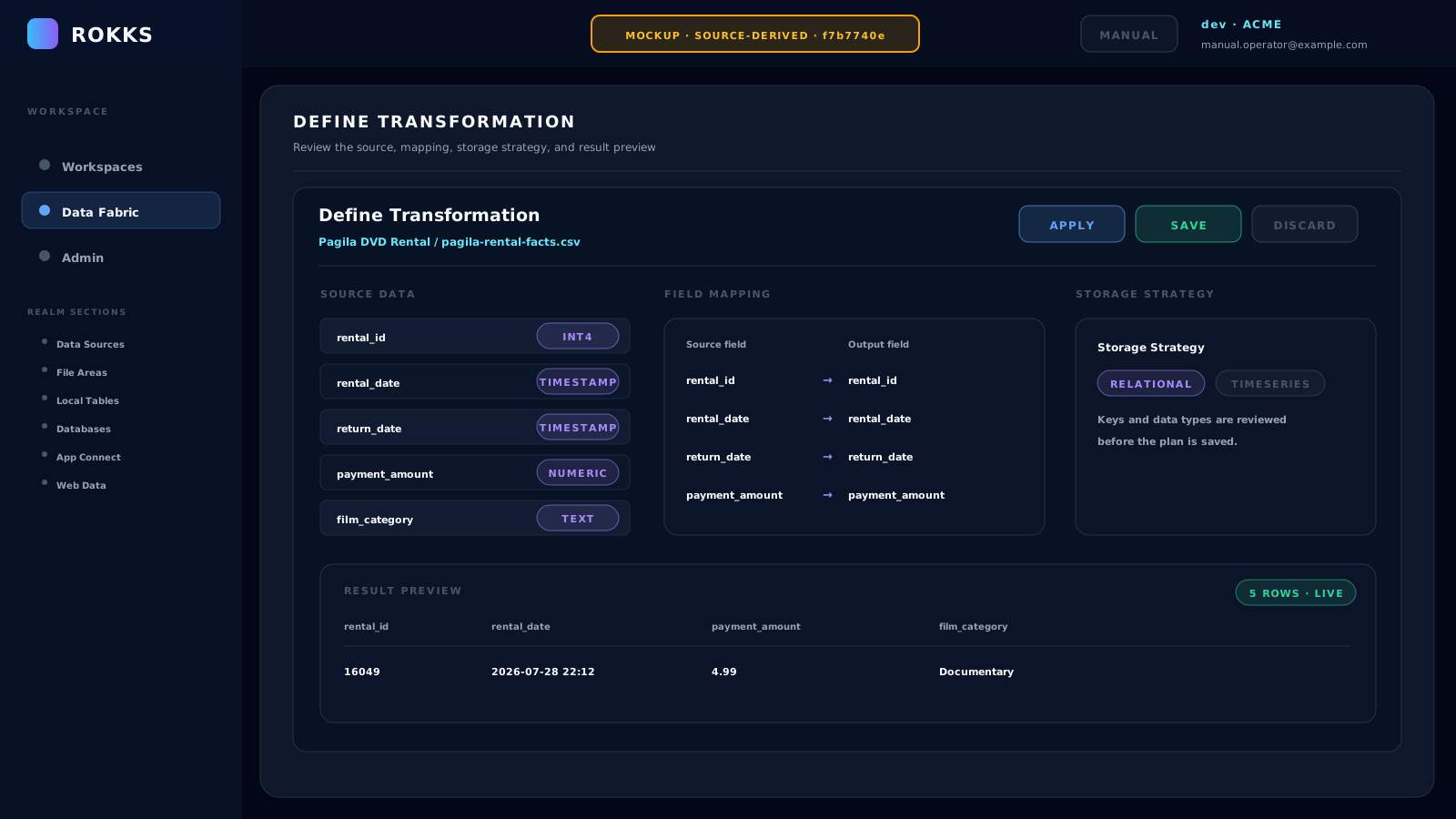
pagila-rental-facts.csv. - Wait for Source and Sample, then open Plan. Review the 21 flattened fields and correct field names, types, units, nullability, and keys.
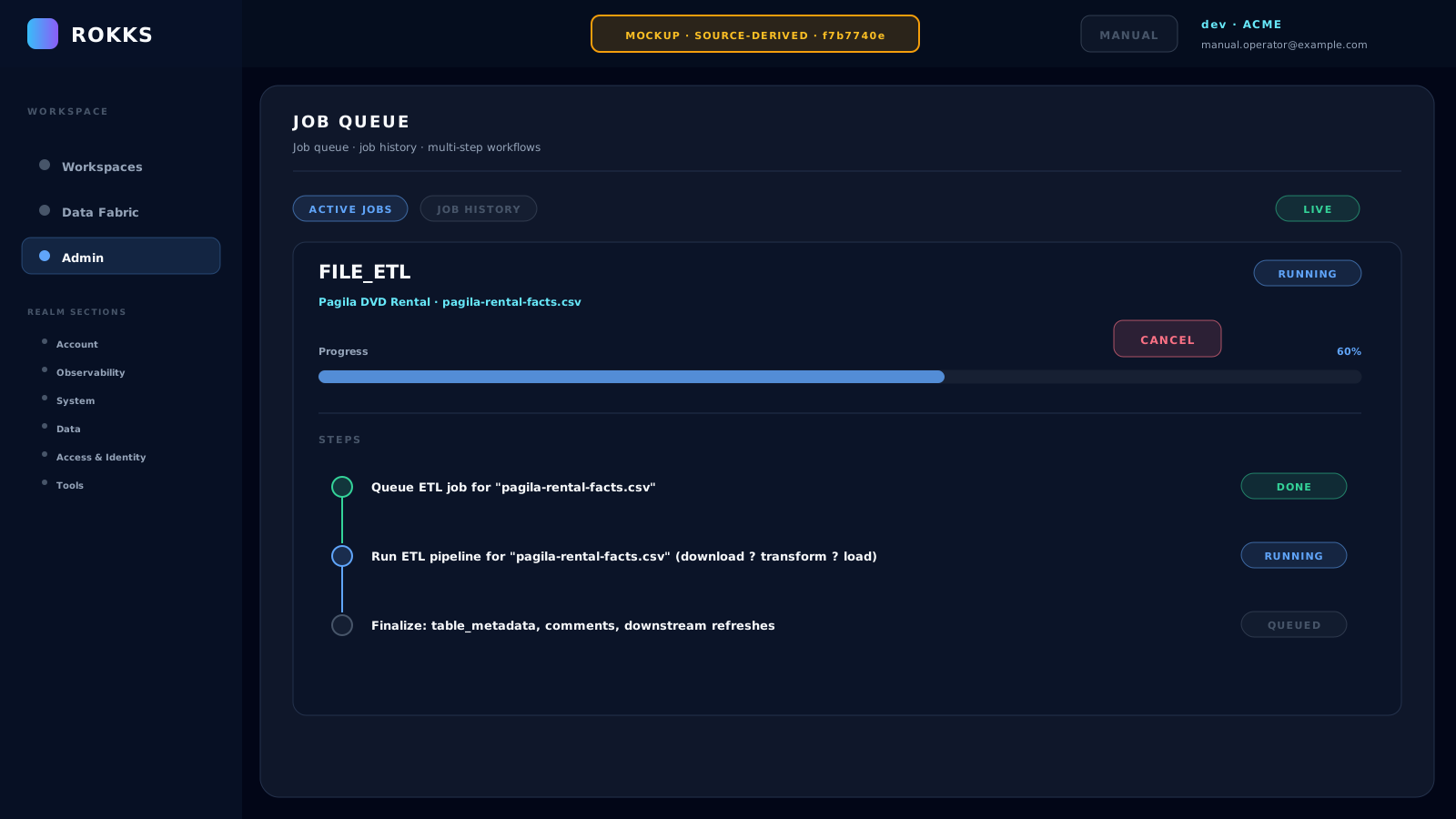
- Run Load and wait for the lifecycle to reach Loaded. If you can access Job Queue, require the
FILE_ETLjob to reach DONE. - Open Workspaces, enter or create ACME Analytics, and create a practice dashboard.
- Choose Add column, then use the empty slot labelled Add or drag widget here. The slot creates a new widget directly in edit mode.
- In the Data Model canvas, select the governed table produced by the file load.
- Choose a line chart and configure
SUM(payment_amount)by month ofrental_date. - Choose Run Query and inspect the preview.
- Wait for the first instant save to finish, then choose Close. The Widget Builder has no separate Apply or Save action.
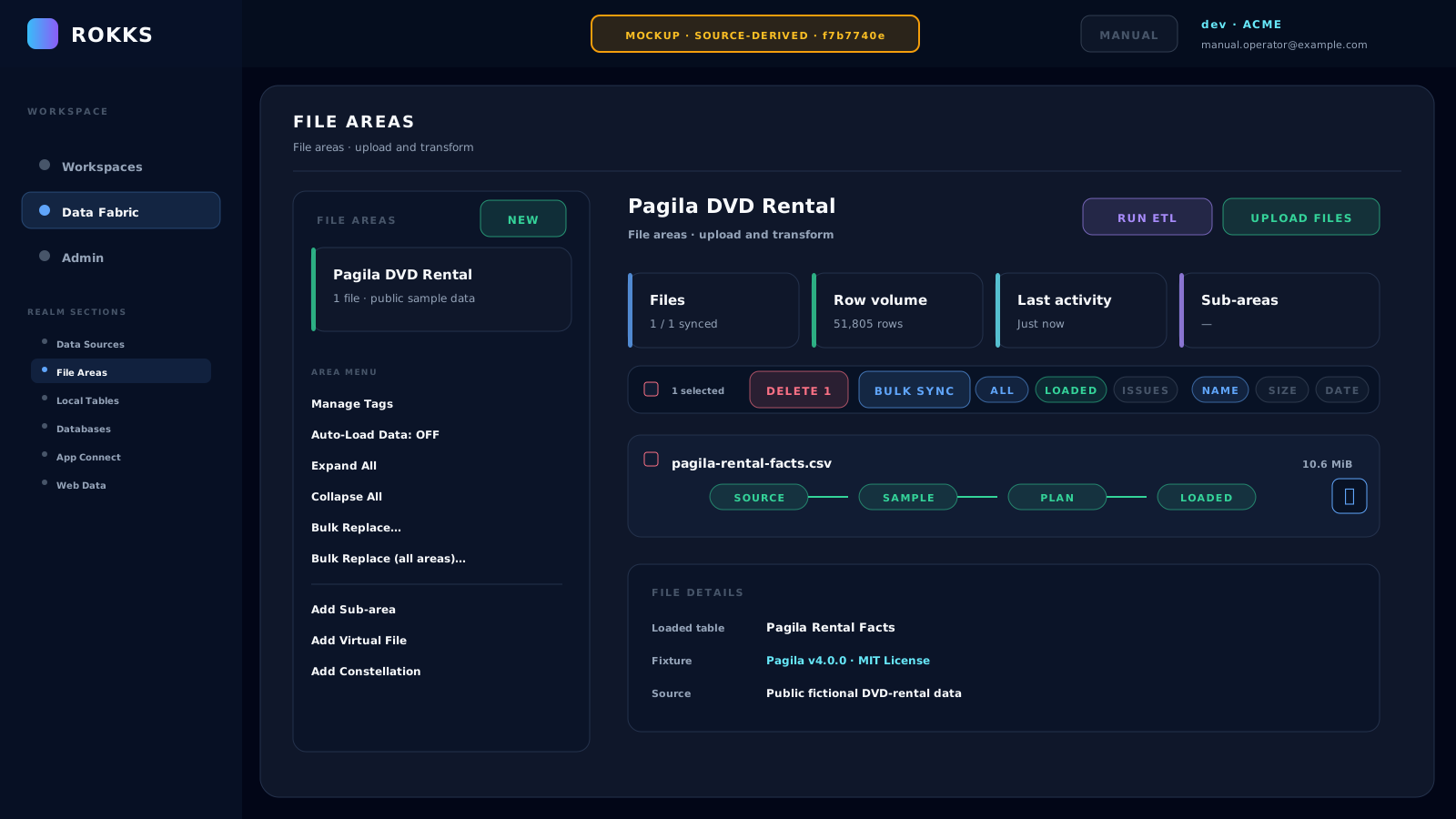
MOCKUP — flat CSV tutorial. This source-derived asset shows the regular File Area used by this exercise. It is not evidence that the separate Constellation maiden flight was loaded.
MOCKUP — flat CSV tutorial. This source-derived asset shows the per-file Define Transformation controls for the flattened CSV, not the six-node Constellation editor.
MOCKUP — flat CSV tutorial. This source-derived asset shows a flat-file
FILE_ETLjob. Read its own MOCKUP label; it is not a configured product capture.
Common mistakes
Section titled “Common mistakes”Do not skip the transform review. A wrong type in the source will show up later as missing chart options, bad sorting, or failed filters.
Do not use production data for a first learning run unless your organization has approved that workflow.
Do not use this flattened table as the relation-aware maiden-flight model. Complete the JSON Constellation workflow when you need separate tables, declared relationships, and qualified fields.