

Backup and Restore
Dieser Inhalt ist noch nicht in deiner Sprache verfügbar.
Backup and Restore
Section titled “Backup and Restore”Overview
Section titled “Overview”The Backup and Restore page is an inspection aid, not an operational backup or restore mechanism.
How it works
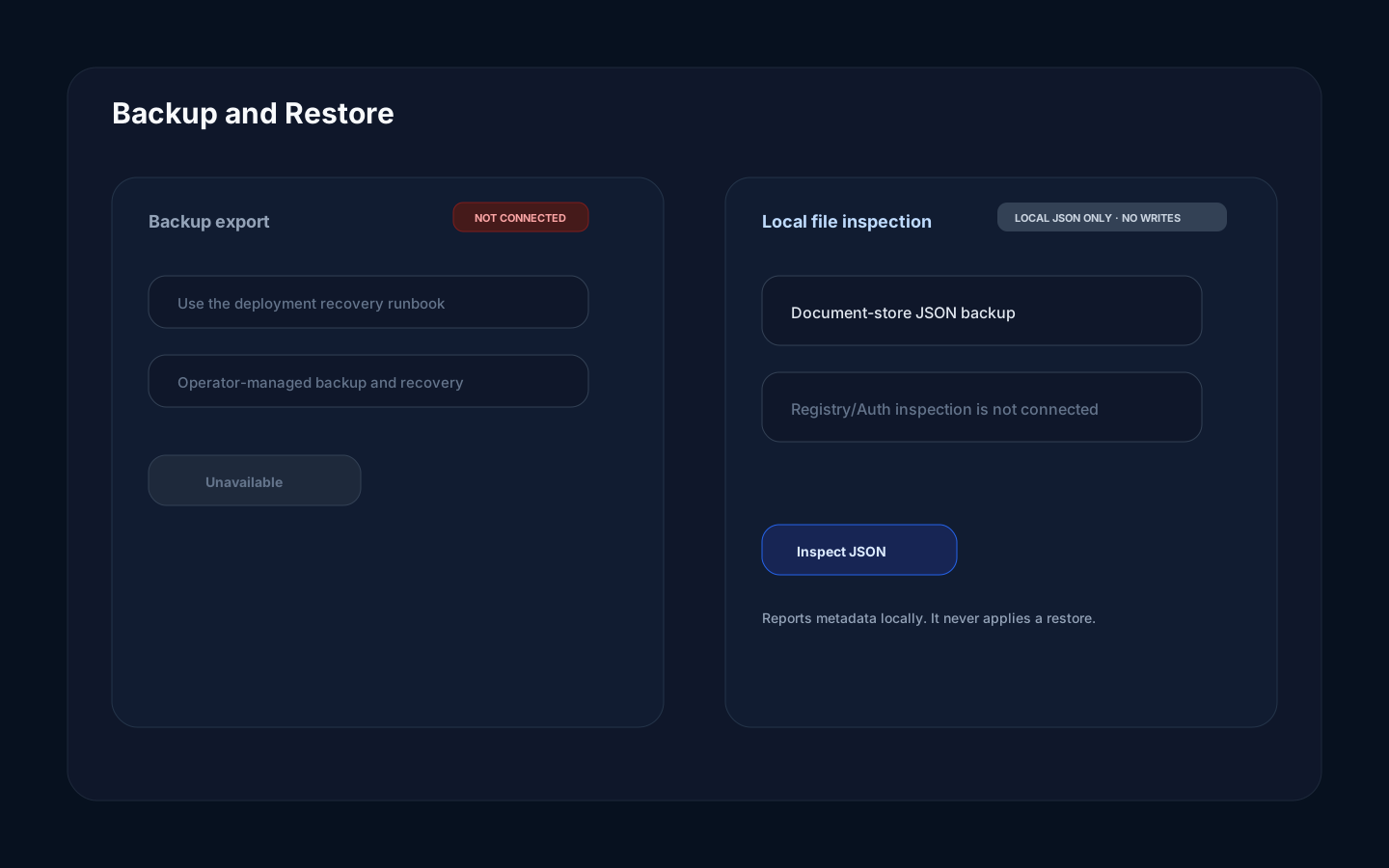
Section titled “How it works”The current Edge routing does not expose the page’s backup-export endpoints or its Registry/Auth SQLite inspection endpoints. Do not rely on the visible Create Backup controls: they are not connected to an operational backend.
The working inspection path reads a document-store JSON backup locally in the browser and summarizes its metadata. It performs no writes and does not execute a restore. Deployment backups and recovery remain operator-run procedures outside this page.
Step-by-step
Section titled “Step-by-step”- Before a risky change, ask an authorized operator to create a deployment backup using the deployment recovery runbook.
- Open Backup and Restore only if you already have a document-store JSON backup to inspect.
- In Dry-run Restore, select that JSON file.
- Review its reported environment, tenants, collections, and record counts.
- If recovery is required, hand the file to an authorized operator and follow the deployment-specific recovery runbook. The UI does not apply it.
Common mistakes
Section titled “Common mistakes”Do not assume Version History is a single-dashboard recovery tool. Its restore operation rewinds every later checkpoint in the selected environment and tenant and can stop after partial progress. Inspect the tenant-wide impact before using it.
Do not mistake a successful dry-run inspection for a completed restore. Inspection validates and summarizes files; an operator-run recovery is a separate procedure.
Do not treat a successful browser download prompt as proof of a backup. The export routes are unavailable until they are deliberately wired, authorized, and end-to-end tested.