

Architecture
Dieser Inhalt ist noch nicht in deiner Sprache verfügbar.
Architecture
Section titled “Architecture”Overview
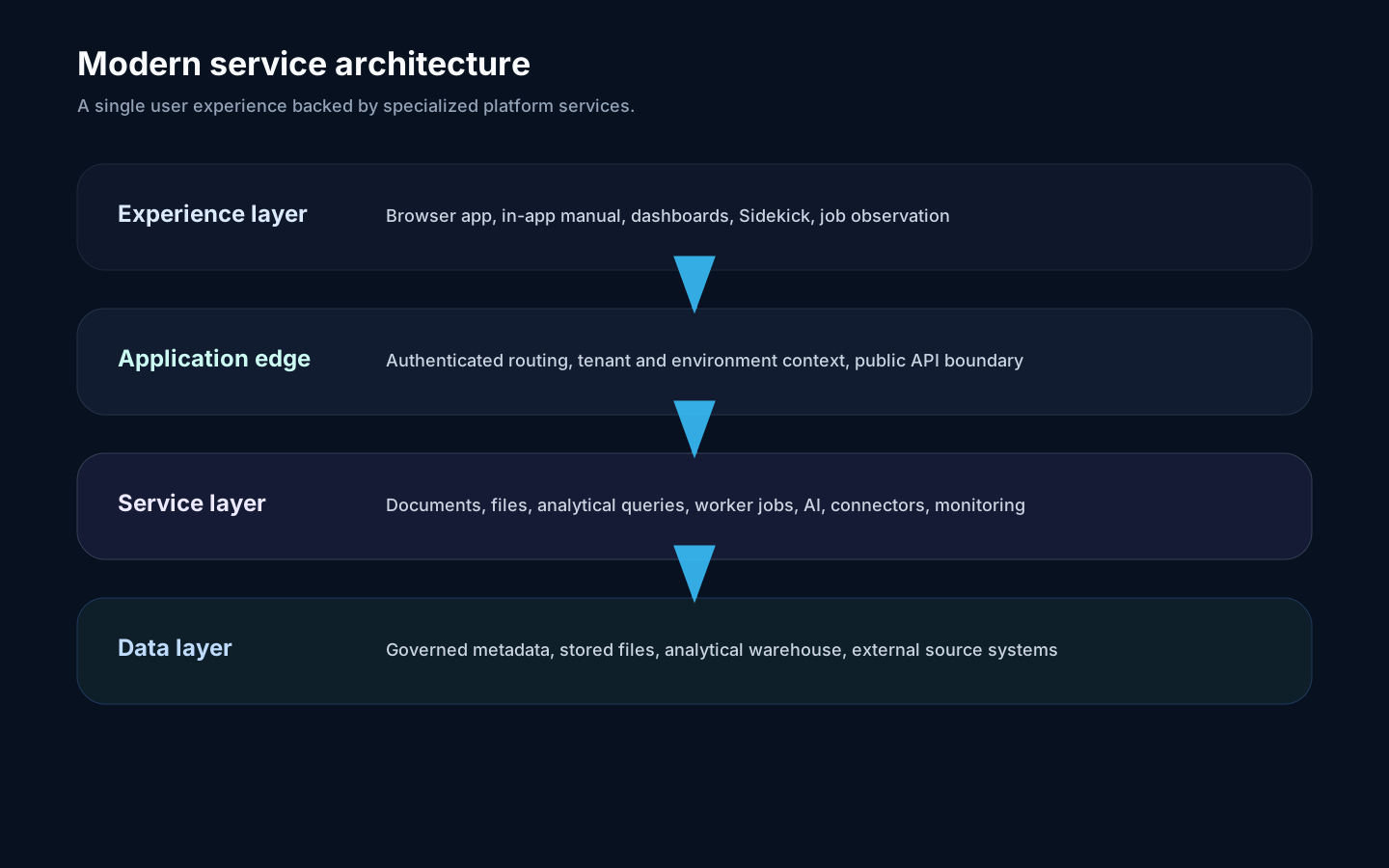
Section titled “Overview”Rokks is a service-based analytical platform with one browser-facing entry point and multiple specialized backend services. Integrators should understand the public layers rather than private implementation paths.
Components
Section titled “Components”| Component | Responsibility |
|---|---|
| Browser app | User interface, dashboard rendering, in-app manual, job observation. |
| Android app | Native read-focused companion for dashboards, alerts, and settings. |
| Application edge | Authenticated routing from the browser to platform services. |
| Authentication | Sign-in, session refresh, identity-provider integration. |
| Document and file operations | Metadata, dashboard documents, user data, and stored files. |
| Analytical queries | Row- and response-memory-contained read-only execution with explicit caller, environment, tenant, consistency, and database-role controls; Query Workbench previews use a versioned framed stream. |
| Worker jobs | Long-running sync, load, AI, maintenance, and tenant work. |
| Monitoring | Service status, logs, health, and operator evidence. |
Data flows
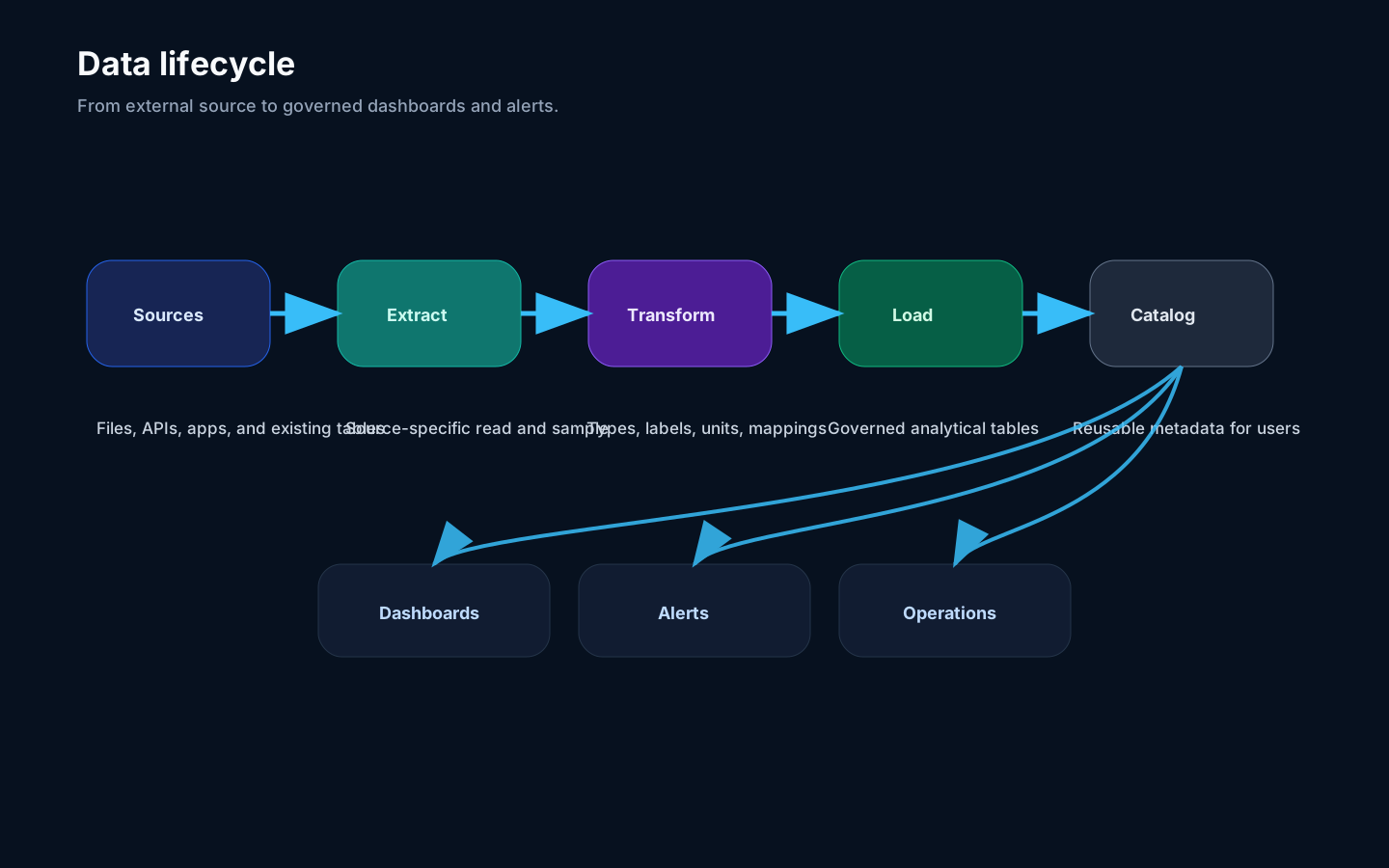
Section titled “Data flows”- A user uploads or connects a source in the Data Fabric.
- A worker job extracts, transforms, and loads the data.
- Metadata is registered in the catalog.
- Widgets query governed sources through analytical query services.
- Alerts and operations tools observe the same scoped data.
Interactive query streaming
Section titled “Interactive query streaming”Query Workbench previews use SQL Query Stream v1. The route shares the analytical read boundary and adds strict wire framing, a cumulative byte budget, bounded cursor batches, downstream-aware writes, and one final terminal record. The application edge relays response bytes without converting them into a JSON envelope.
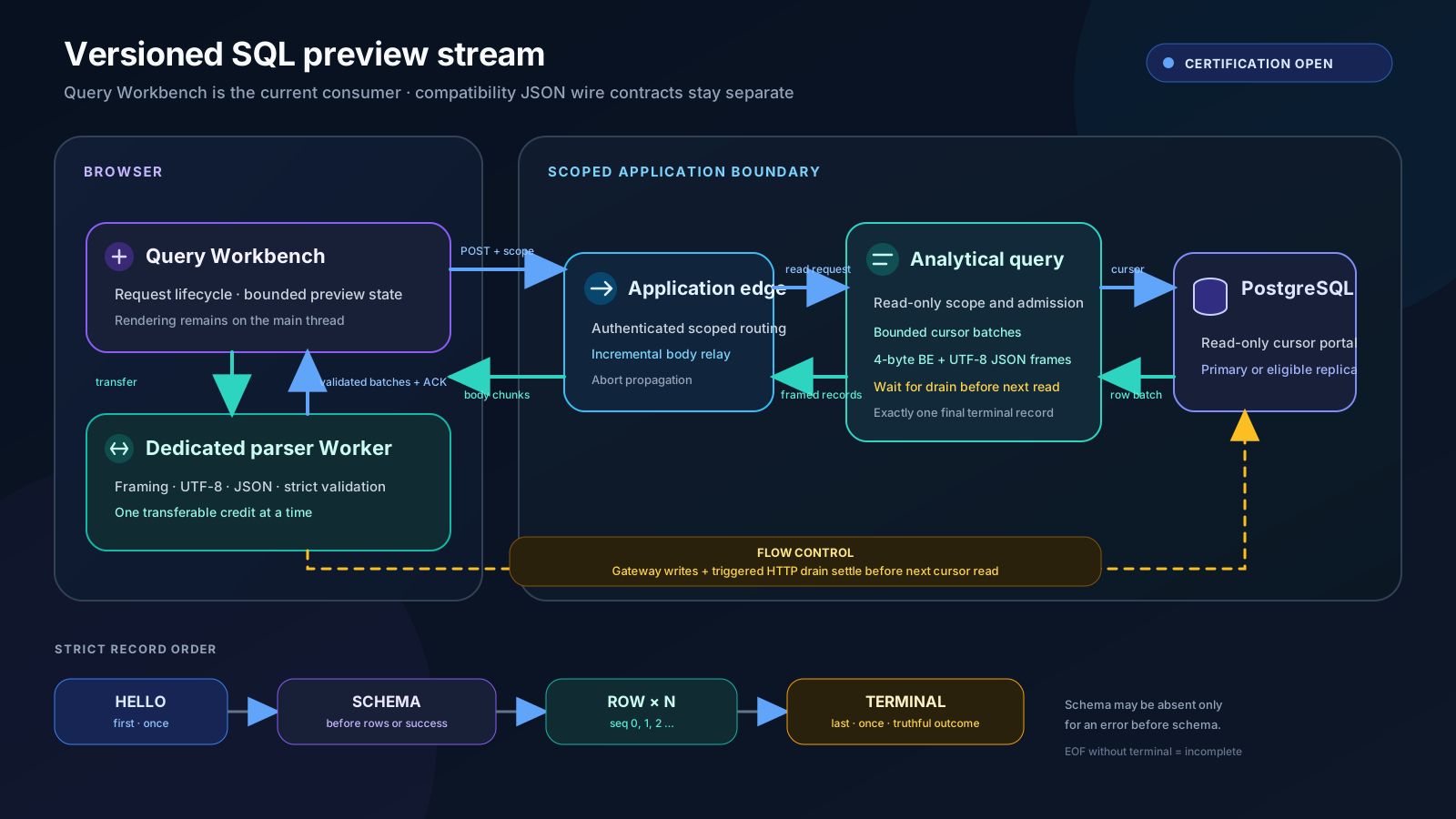
Text alternative: Query Workbench sends a scoped read request through the
application edge and analytical query service to PostgreSQL. Bounded cursor batches
return as length-prefixed JSON records. The browser transfers one chunk at a time to a
dedicated parser Worker, which returns validated provisional row batches and the final
terminal record. Only a valid complete or truncated terminal commits those rows;
error or terminal-less EOF discards them. Worker acknowledgement, browser reads, HTTP
transport backpressure, and SQL Gateway’s write/drain handling are distinct
stages. The gateway completes every response write and any triggered drain
wait before another cursor read; it does not wait on a per-batch Worker ACK.
The Worker handles framing, UTF-8 decoding, JSON parsing, validation, and row reconstruction. The main thread continues to own request lifecycle, bounded preview state, and rendering. The implementation has landed; local and beta certification remain open. This is a scoped architecture statement, not a general browser-performance or enterprise-volume claim.
Public dashboard delivery
Section titled “Public dashboard delivery”Public Plaza links terminate on an isolated gateway and can invoke only a publication’s precompiled widget functions in its bound tenant. The gateway applies process-wide SQL and environment admission, a publication widget-count ceiling, bounded widget fan-out, per-widget and aggregate row ceilings, an adaptive response-byte budget, heap-derived/LRU-bounded rate-state memory, and disconnect cancellation.
Public Plaza does not use the Query Workbench v1 stream. Its upstream analytical query
has an independent compatibility-JSON memory boundary: it admits a bounded
reservation, guards PostgreSQL backend frames and aggregate DataRow bytes before
pg-protocol parsing, and buffers only the admitted serialized response bytes. The
reservation is released only after both query-route cleanup and HTTP transport
termination. These are compatibility-JSON controls, not network streaming or
backpressure; browser-worker parsing, slow-consumer proof, and deployed heap proof
remain open. The authenticated rendered-dashboard bundle is a separate path and does
not yet share Plaza’s complete aggregate-admission and disconnect-cancellation
contract.
Failure modes
Section titled “Failure modes”If the browser cannot reach the edge, users cannot work. If a worker job fails, the UI should show a job error while the rest of the app stays available. If analytical queries fail, dashboards may show widget errors while metadata and operations pages remain usable. Query Workbench treats a missing or invalid v1 terminal record as an incomplete preview and discards its provisional rows.