

Installation
Ce contenu n’est pas encore disponible dans votre langue.
Availability and Access
Section titled “Availability and Access”Overview
Section titled “Overview”Most users do not install Rokks themselves. They receive a platform URL, sign in through the configured identity provider, choose an environment and tenant, and start working. Integrators prepare the deployment, identity, storage, database, and routing model before inviting users.
How it works
Section titled “How it works”Rokks is delivered as a set of cooperating services behind a browser-facing entry point. Users only need the public application address. Behind that entry point, the platform routes document operations, analytical queries, worker jobs, authentication, and monitoring to the correct service.
Integrators should treat deployment details as environment-specific. A managed production installation may use one topology, while a private appliance may use another. The public contract is the same: users access one app URL, API calls are scoped by environment and tenant, and background work appears in the job queue.
Step-by-step
Section titled “Step-by-step”- Confirm the application URL that users will open.
- Configure the identity provider and allowed users.
- Define the initial environments and tenants.
- Connect the document, file, and analytical storage backends.
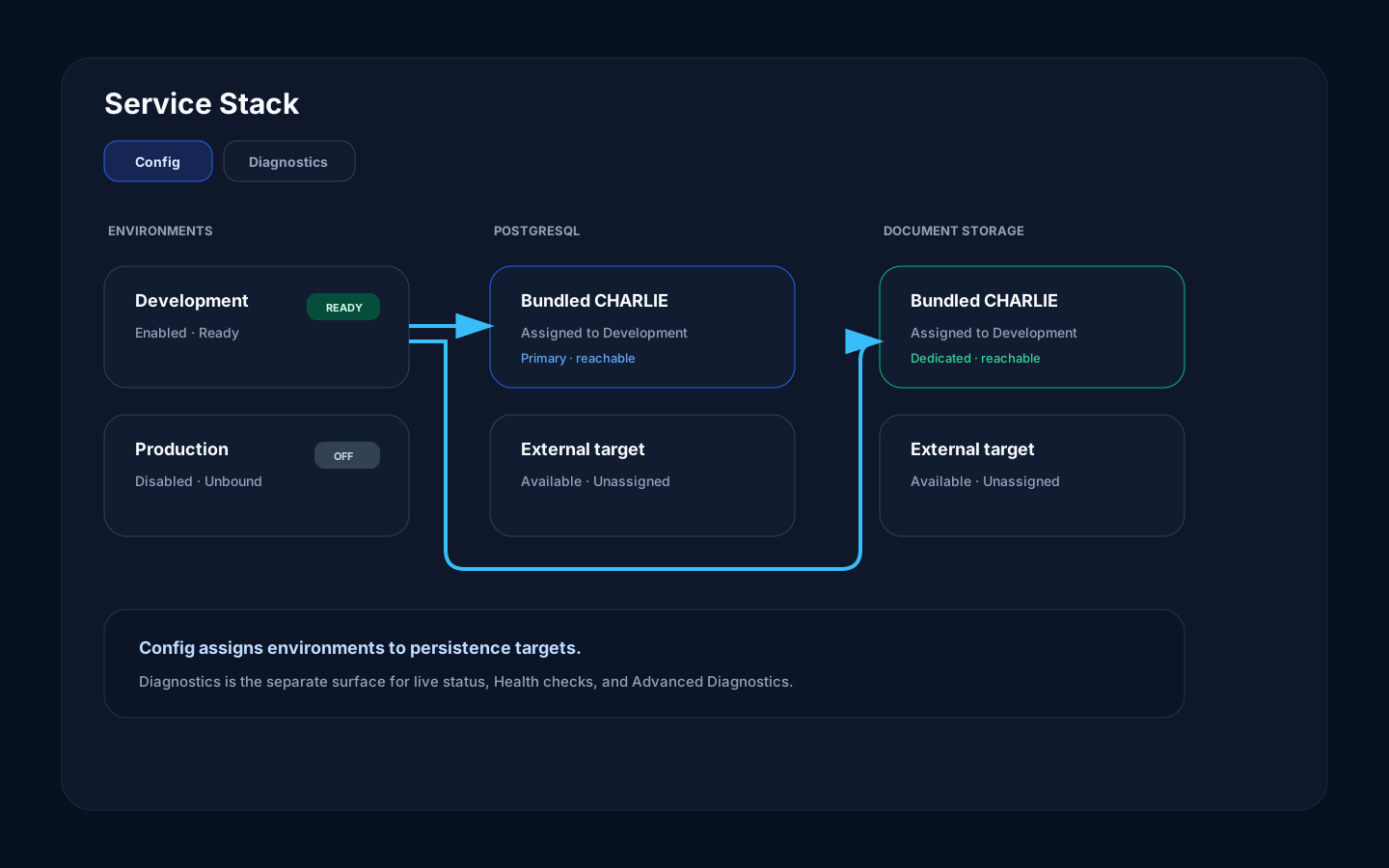
- Open the Service Stack page and confirm that required services are healthy.
- Invite a pilot user and complete the quick-start workflow.
Common mistakes
Section titled “Common mistakes”Do not publish private service addresses or maintenance credentials in user-facing docs. Users should see the app URL and supported workflows, not deployment internals.
Do not invite users until at least one enabled environment has configured storage and each pilot user has access to the intended tenant. Rokks does not elect a default environment or tenant; every session operates in an explicitly authorized scope.