

Service Stack
Service Stack
Section titled “Service Stack”Overview
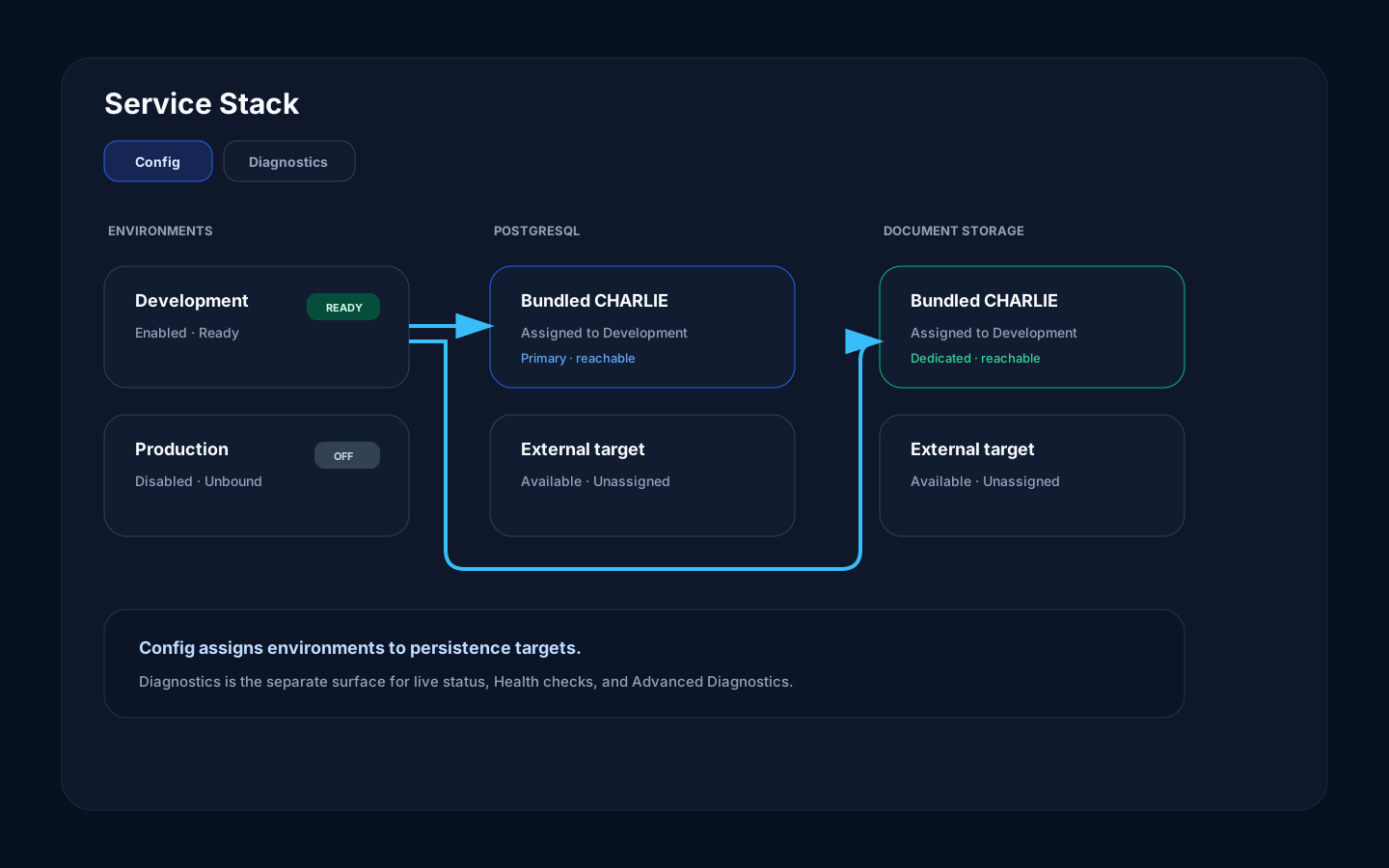
Section titled “Overview”The Service Stack page has two operator surfaces: Config and Diagnostics. Config is the home for environment and persistence-instance assignments. Diagnostics runs the supported health and advanced test suites for platform services.
How it works
Section titled “How it works”Config shows which PostgreSQL and document-storage instance each environment uses, including bundled and externally managed targets. Diagnostics shows live status and age, then lets an operator run each service’s health or advanced checks. Those are the complete Service Stack modes; read-only architecture inspection lives in Live Service Topology.
Instance records deliberately contain only network endpoints
(protocol://host[:port]). Credentials, database names, and TLS policy live in
Registry secrets and are never displayed as instance URLs. PostgreSQL uses four
separate authority lanes:
Dev/appliance deployments declare bundled ALPHA, BRAVO, and CHARLIE persistence slots; beta/production currently declare only CHARLIE. Only active, deployment-enabled slots are eligible for Setup. Bundled identity cannot be added, renamed, re-pointed, or deleted through the console. Add instance creates an external target only. If declared bundled inventory is missing or invalid, Setup stops and reports the Registry problem instead of trying to recreate infrastructure at runtime.
| Lane | Purpose |
|---|---|
| Data | Tenant reads, writes, and bounded DDL under a least-privilege environment role |
| Platform | _platform control-plane data under a dedicated non-superuser role |
| Provisioning | Database/role creation only; never admitted to a normal pool |
| Read replica | Optional exact standby; absence sends reads to the primary |
flowchart LR I["Credential-free instance endpoint"] --> R["Registry binding"] S["Provisioning secret"] --> P["ENV_PROVISION"] P --> D["Data lane"] P --> C["Platform lane"] D --> G["SQL Gateway tenant pools"] C --> M["Platform and monitor pools"]Environment toggles and persistence assignments apply immediately after Registry accepts them. There is no separate page-level Apply or Discard step. Registry rejects missing instance ids and SQL/document-store type mismatches before changing the environment; the page keeps the previous value and surfaces the error.
The Setup Wizard preserves an exact existing binding. With one eligible bundled candidate it may preselect that candidate; with several it requires an explicit tier choice and shows the exact label, Compose service, and instance id in review. It never assigns by response order. MonIO is 1:1, so a tier already claimed by another environment is unavailable.
Applying Setup records enabled environments as PROVISIONING and queues
ENV_PROVISION; submitting a job is not the same as reaching READY.
Terminal Worker-to-Registry status reconciliation is still a prelaunch
hardening item, so verify the job outcome and do not treat the wizard closing as
completion.
Registry control calls and persistence readiness probes have a five-second deadline. Test All Connections finishes only after every participating card has settled. A failed maintenance-state read preserves the last confirmed state; if none is known, the card shows Unknown and disables the maintenance mutation.
Step-by-step
Section titled “Step-by-step”- Open Service Stack.
- Use Config to confirm the selected environments and their persistence assignments.
- Resolve missing credentials or intentionally unbound environments before inviting users.
- Open Diagnostics and review live service status.
- Run Health checks first, then Advanced Diagnostics only when deeper evidence is needed.
Common mistakes
Section titled “Common mistakes”Do not treat an intentionally unbound or disabled environment as an outage. Configured deployment variants do not need every optional persistence target.
Do not run advanced diagnostics repeatedly without reason. They may call real downstream systems.